 Icefox ✦ Lab
COMFYUI EXTENSION OPEN SOURCE · EARLY VERSION
ComfyUI
Pose Gallery
Bring pose references into your workflow.
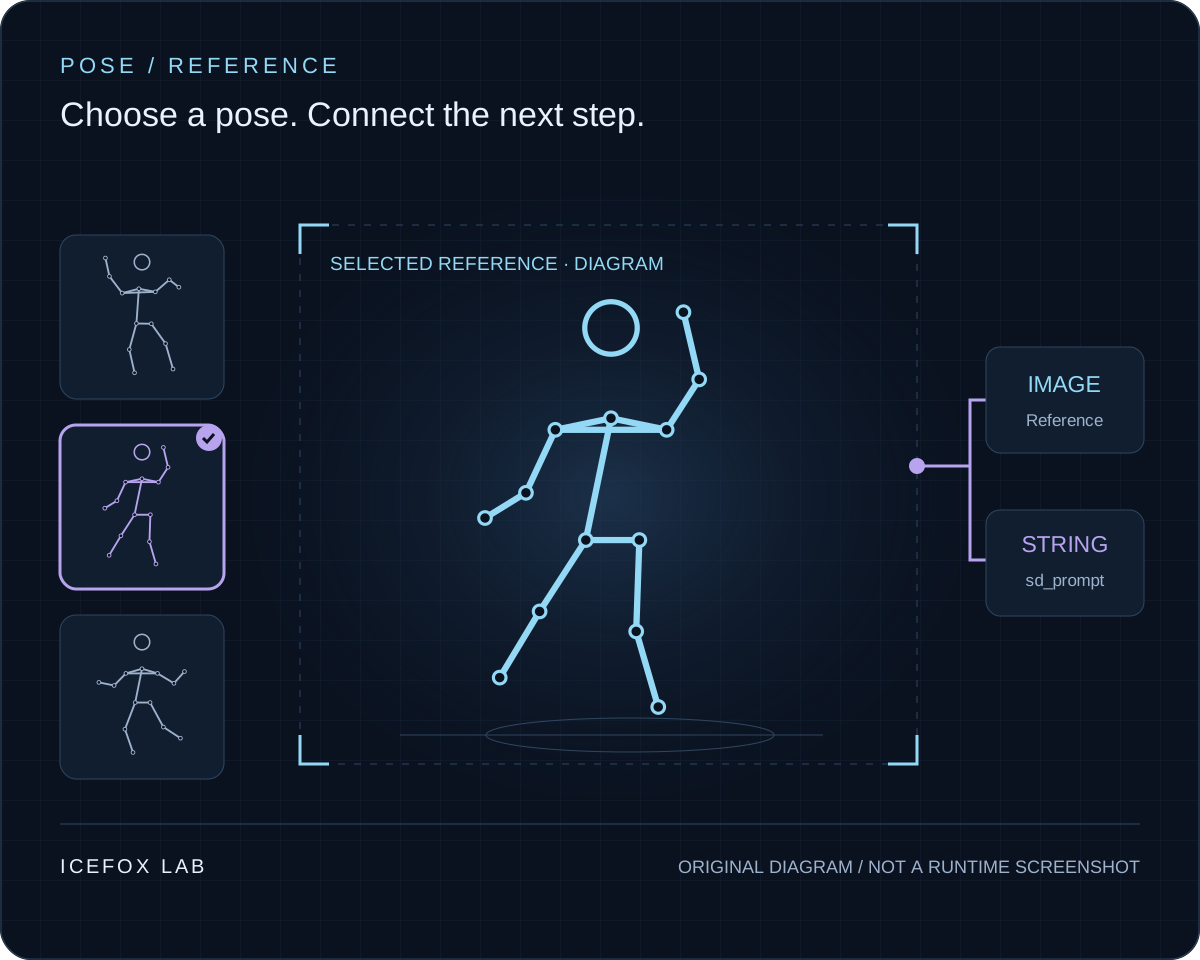
Find references by pose and angle inside a ComfyUI node. Choose an image, then pass it and its English action tags to the next nodes.
MIT-licensed code · Chinese / English / Japanese interface
IN PROGRESS
Keep prepared assets on your machine.
The first draft is complete. The local asset workflow is being refined so that, once assets are prepared, you can select them in the node without opening a separate gallery website. Download and directory-import code is public; assets are prepared separately and are not bundled with the extension.
This introduction follows the public documentation. It does not claim completed v0.4.0 browser or ControlNet generation testing. See the repository for current scope and progress.
THE DOCUMENTED WORKFLOW
From finding a reference to connecting nodes.
Prepare assets
Follow the GitHub setup guide and prepare the local images and catalogue. Read the upstream asset terms first.
Filter poses and angles
Browse categories, filter angles and choose a reference in the node. Interface and filters support Chinese, English and Japanese; some pose names remain Chinese.
Connect image and tags
Use the IMAGE output for the reference and the STRING output for English sd_prompt action tags. Connect them to your own workflow.
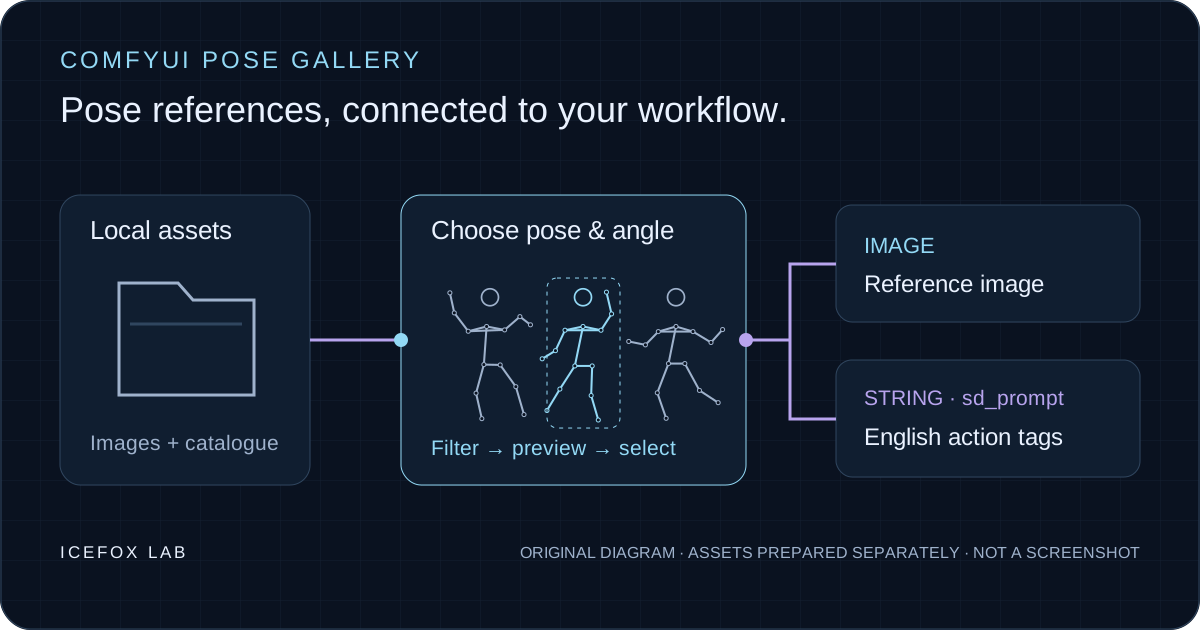
This is a pose-reference selector, not an OpenPose skeleton generator. ControlNet use requires your own matching preprocessor, model and workflow.
CREDITS & USAGE
Open-source code. Separate asset terms.
Original pose images by ギア. Chinese catalogue by Anhao. ComfyUI integration by Icefox Lab.
The extension code is MIT-licensed; this does not cover upstream pose images or original metadata. The original gallery prohibits redistribution, republication and resale of image data; the Chinese mirror has additional non-commercial terms. Read both before using the assets.
This page uses original explanatory artwork, with no upstream pose images or asset-pack downloads.
PROJECT LINKS
Follow the project. Try it in your workflow.
Find setup steps, current limitations and version updates in the public repository. Include your version and reproduction steps when reporting an issue.